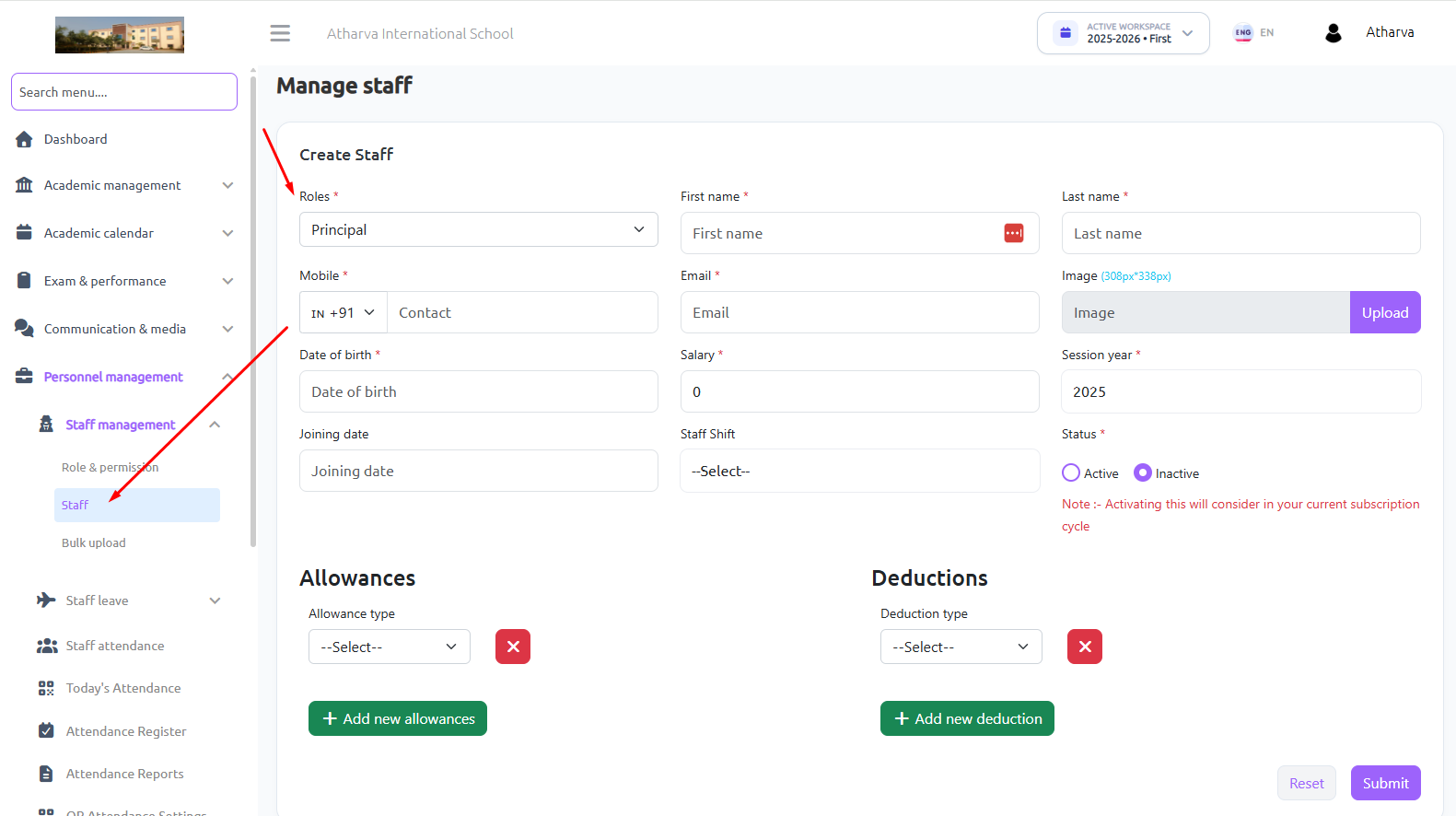
For Creating Principal account or Any Special Staff Member (Other than Teachers). Follow the Bellow steps.
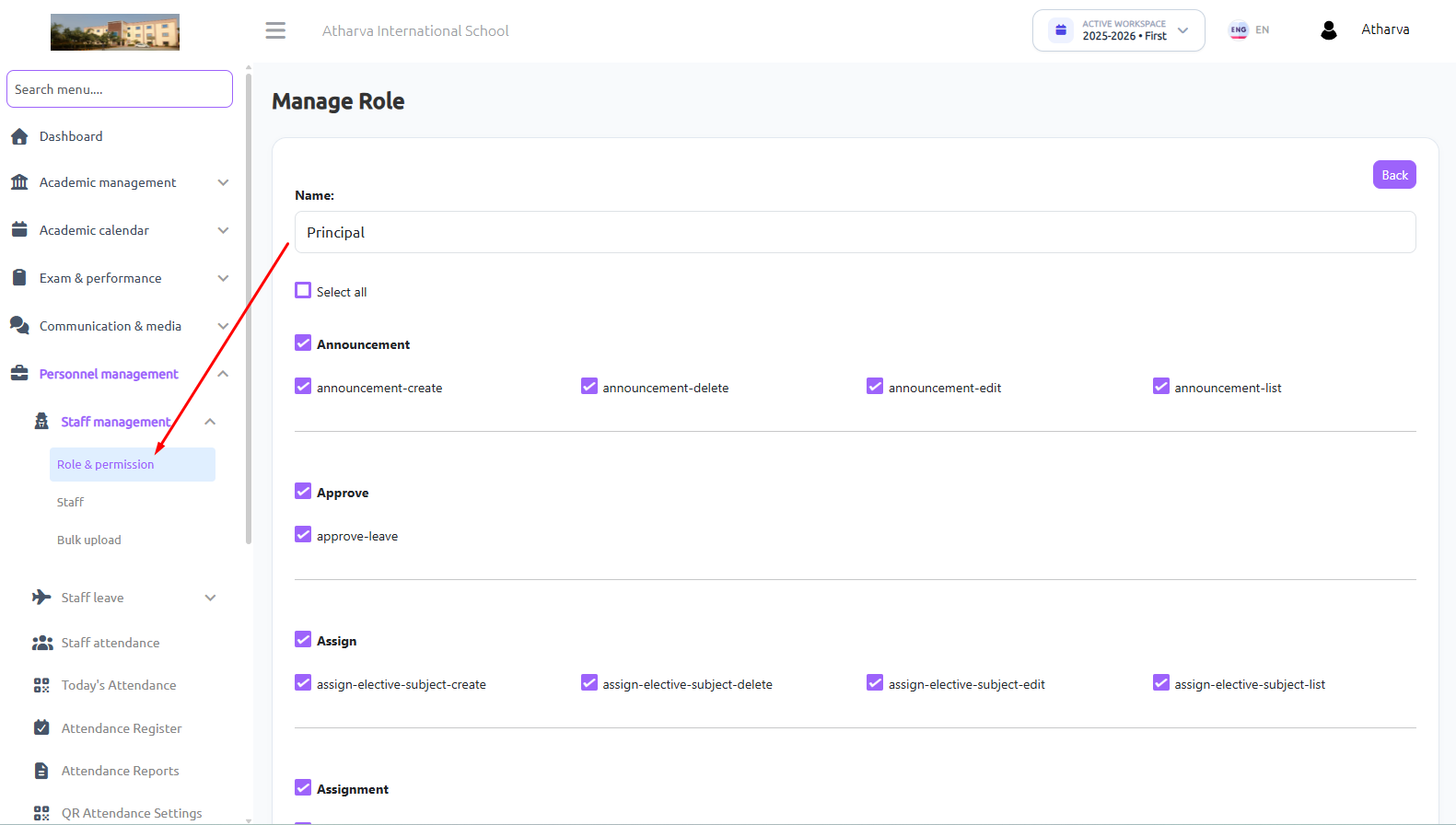
First Go to Personal Management –>Staff Management –>Roles & Permissions –>Create Role
Then select the roles which you want to give permissions to that staff members. We have 250+ roles permission available, you can select or leave that.
Then Go to the Personal Management –>Staff Management –>Staff –>Create staff
Now Choose the Role as Principal and add their details, Select Status Active.
And Now Principal can login with their portal using their email id and mobile number. Later they can change password after logging.