Table of Contents
Record daily attendance for all staff members with a simple and efficient interface.
Attendance Marking Features: #
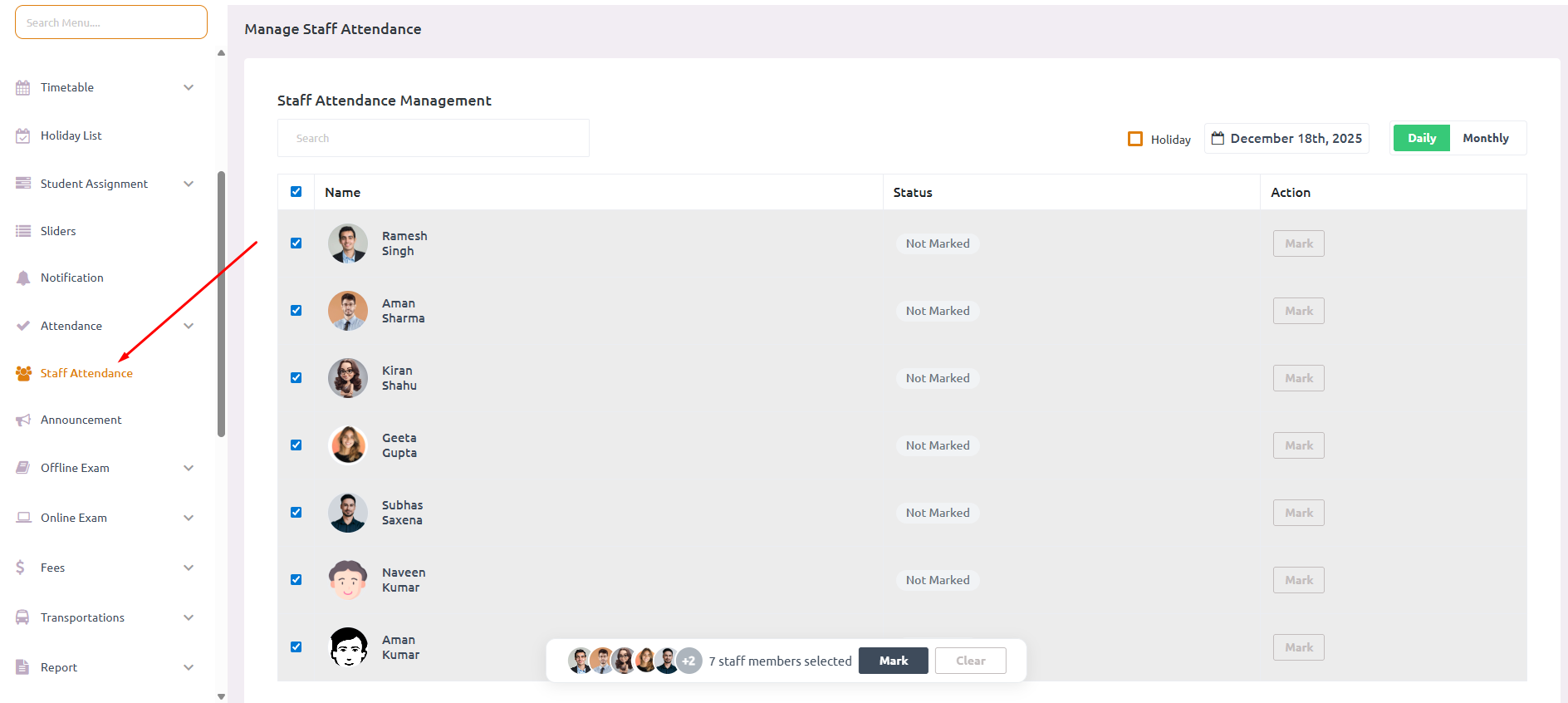
- 📋 Mark attendance for multiple staff members simultaneously
- 💾 Bulk save functionality for efficiency
- 📝 Optional reason field for documentation
- ✅ Real-time validation with leave records
- 🎉 Holiday auto-exclusion from attendance list
How to Mark Attendance: #
- Navigate to Staff > Staff Attendance from the sidebar menu
- Select the Date for which you want to mark attendance
- View the list of all staff members available for that date
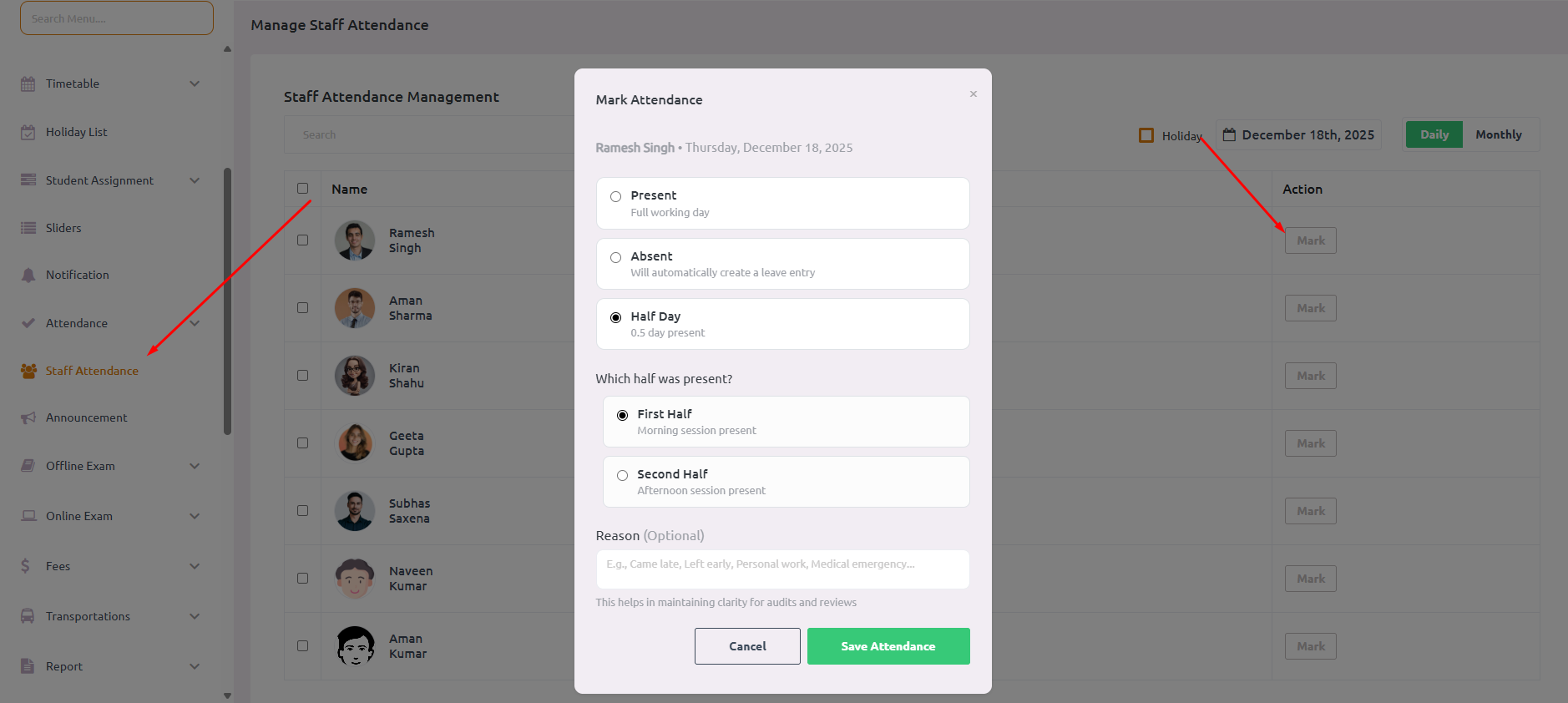
- For each staff member, select attendance status:
- Present – Full day attendance
- Absent – Not present for the entire day
- Half Day – Present for only part of the day
- If marking Half Day, specify:
- First Half – Present in the morning only
- Second Half – Present in the afternoon only
- Add an optional Reason for Absent or Half Day entries (e.g., “Came late”, “Left early”, “Personal work”)
- Click Submit to save all attendance entries at once