Table of Contents
Define pickup/drop-off locations and set transportation fees based on distance.
Pickup Point Features: #
- 🌍 Create unlimited pickup points
- 💰 Set flexible fee structures based on subscription duration
- ⚙️ Manage pickup point status
- 📑 View all pickup points in a list with fee details
- 🗑️ Edit or delete pickup points as needed
How to Create a Pickup Point: #
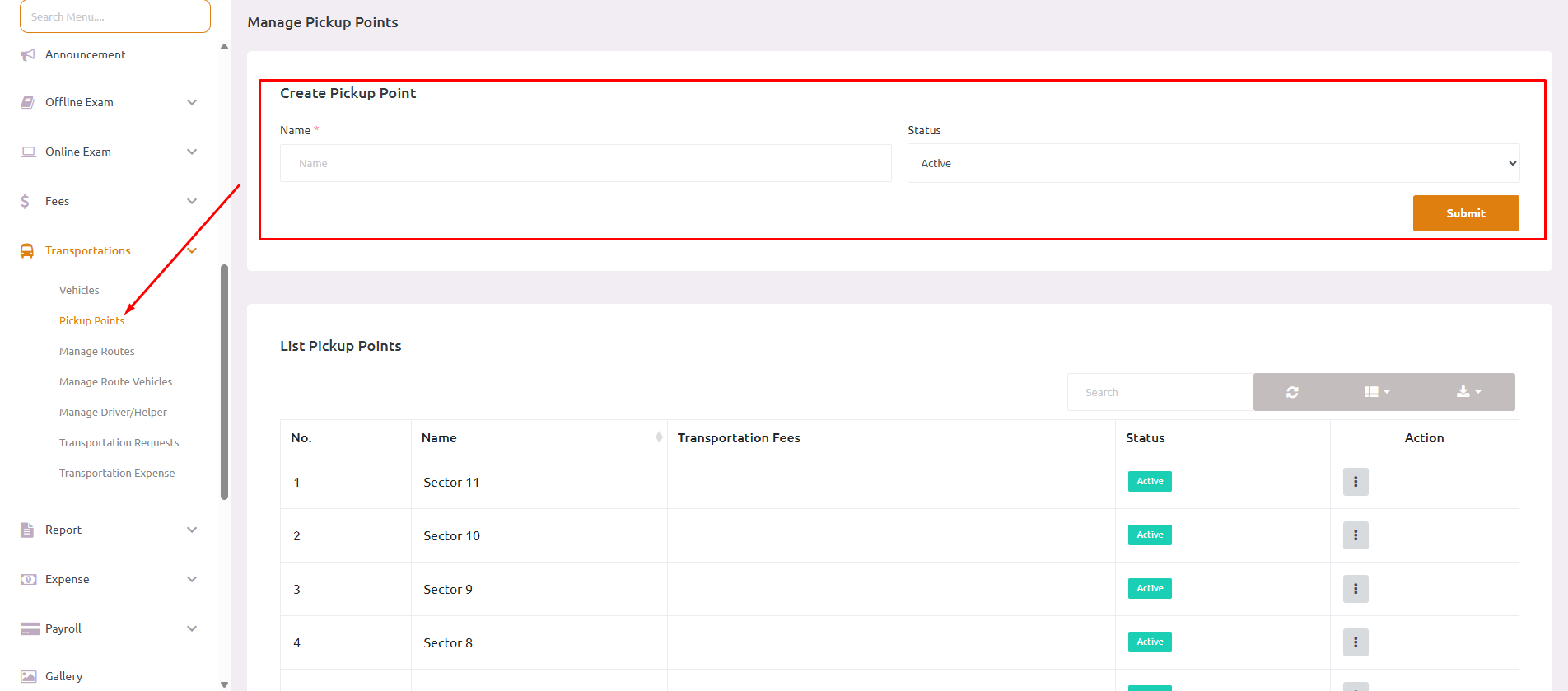
- Navigate to Transportations > Pickup Points
- Click on Create Pickup Point
- Enter pickup point details:
- Name: Enter the location name (e.g., “Sector 6”, “Sector 5”)
- Status: Set as Active or Inactive
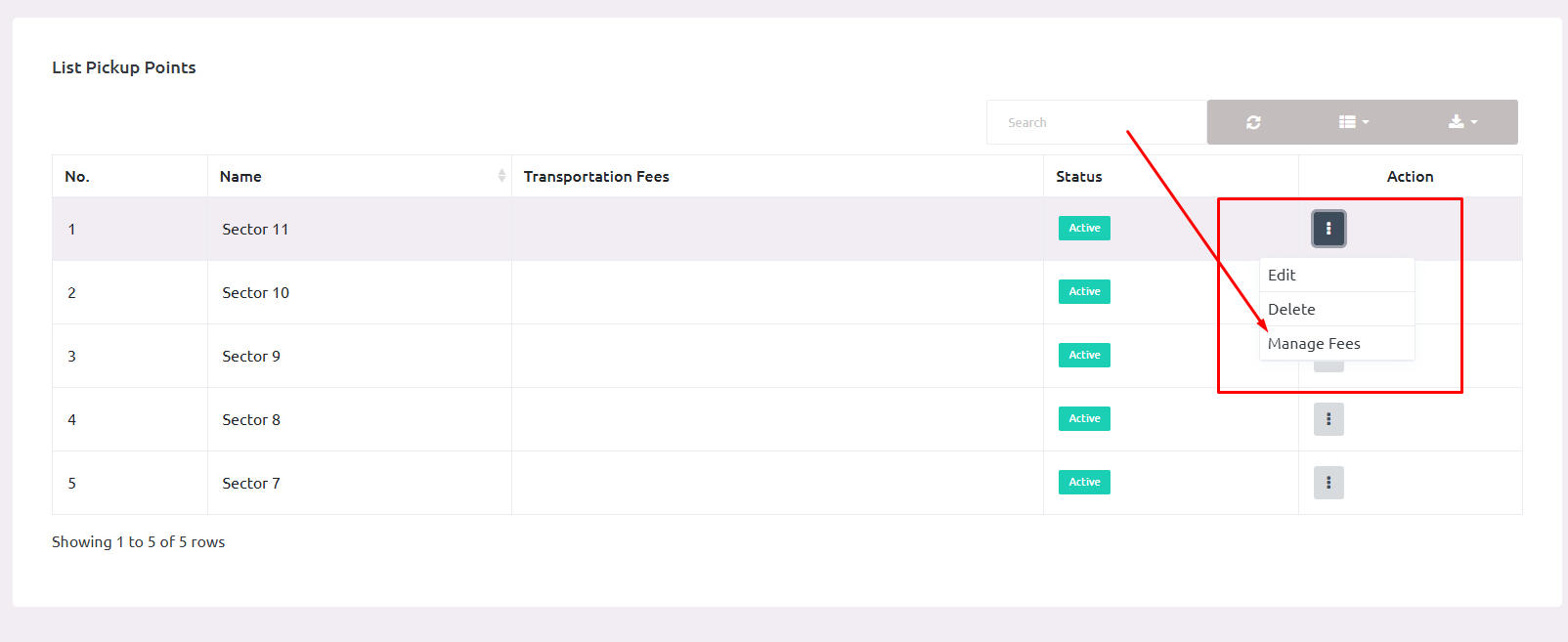
Now Check List Pickup Point, and Click on Manage Fees.
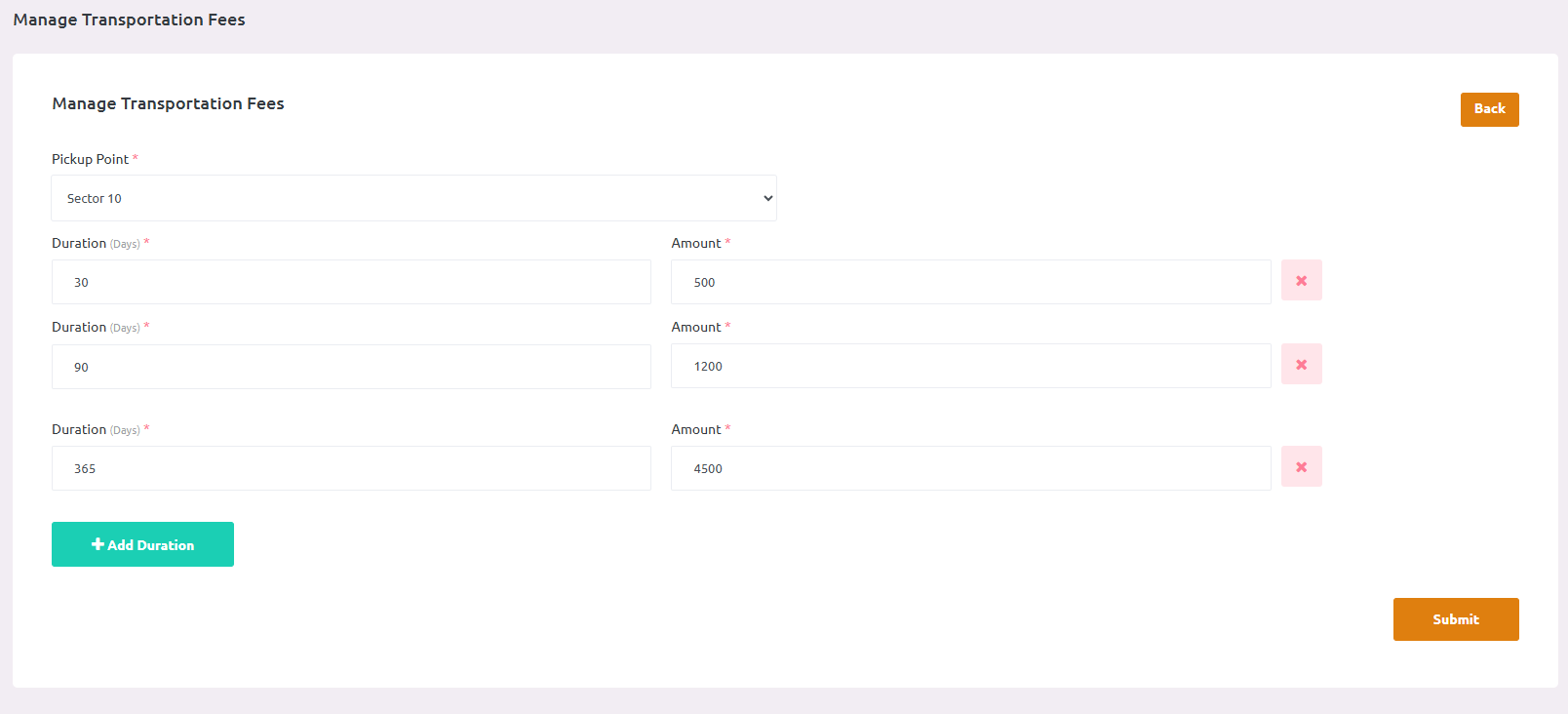
Set Transportation Fees (Distance-based pricing):
Define fee slabs based on distance ranges:
- 30 days: ₹400.00
- 90 days: ₹1000.00
- 365 days: ₹3500.00
Add multiple fee structures as needed.
Click Submit to save the pickup point