Table of Contents
Manage driver and helper profiles with comprehensive personal and professional information.
Driver/Helper Management Features: #
- 👤 Maintain complete driver and helper profiles
- 📄 Upload and store license documents
- 💵 Track salary and compensation details
- 💼 Manage allowances and deductions
- 📊 Monitor employment status
- 🔗 Link drivers to specific routes and vehicles
How to Add a Driver/Helper: #
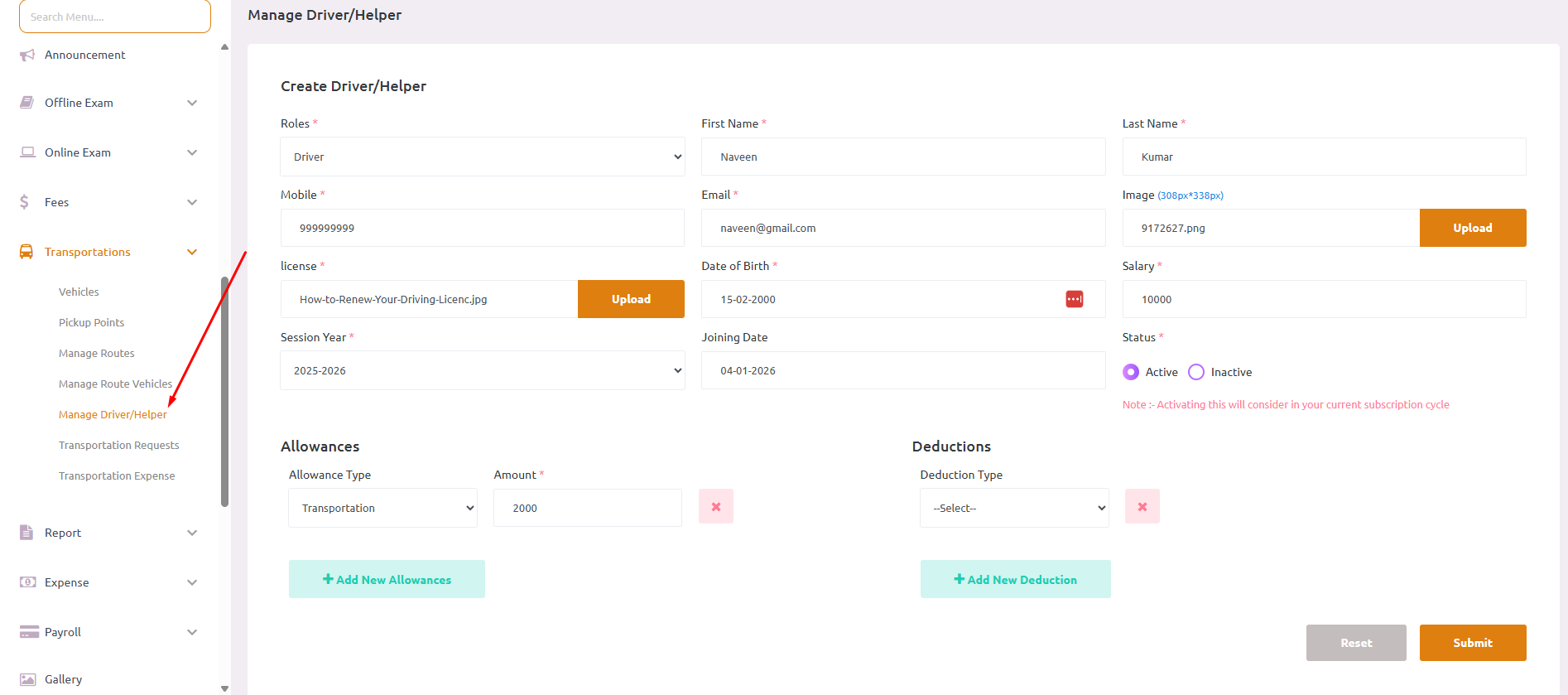
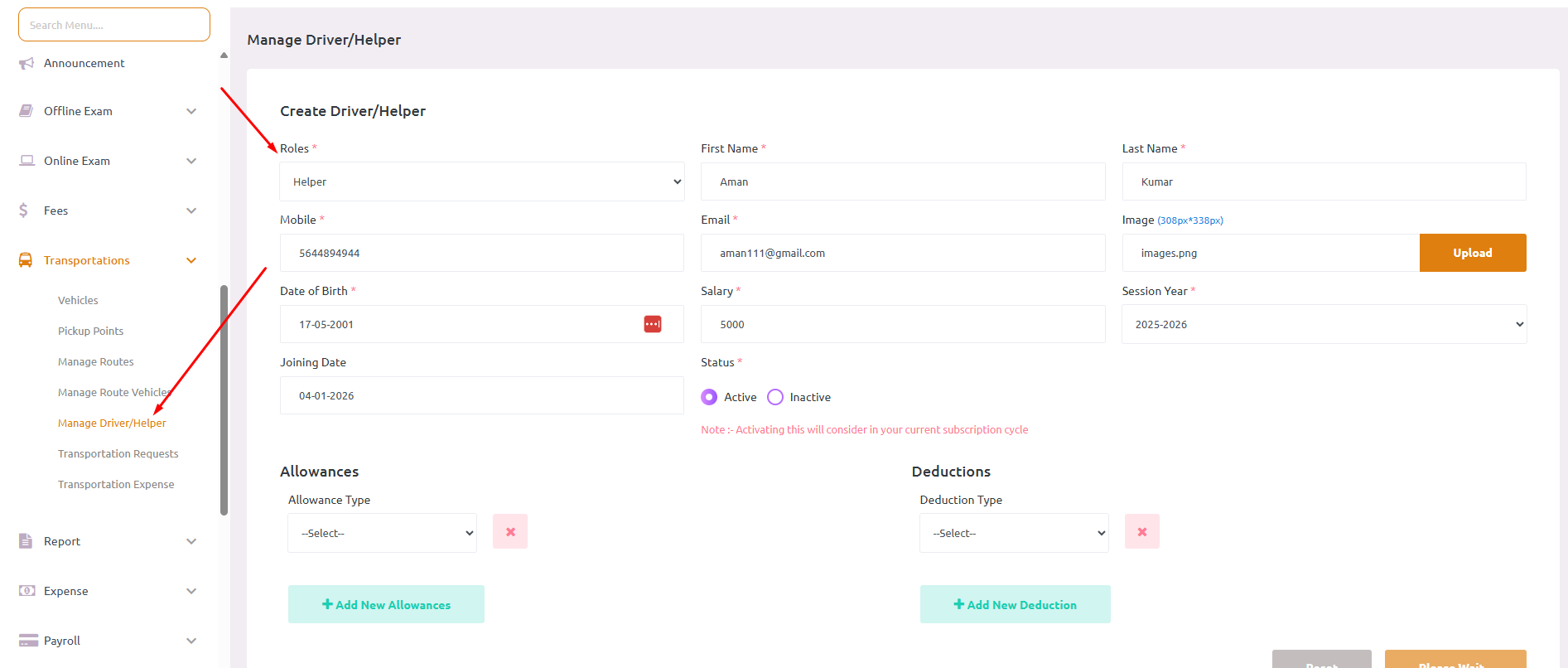
- Navigate to Transportations > Manage Driver/Helper
- Click on Create Driver/Helper
- Select the Role: Driver or Helper
- Fill in personal information:
- First Name and Last Name
- Email Address
- Image: Upload profile photo (JPG/JPEG/PNG)
- License: Upload driving license document (if Driver)
- Date of Birth
- Session Year: Select the current session
- Enter employment details:
- Joining Date
- Salary: Monthly salary amount
- Status: Active or Inactive
- Add Allowances (Optional):
- Click + Add New Allowances
- Select allowance type and amount
- Add Deductions (Optional):
- Click + Add New Deductions
- Select deduction type and amount
- Click Submit to save the driver/helper profile